
What is Kalakar.io?
Adding subtitles to a short video can take longer than expected. You have to listen carefully, type every line, match the timing and check whether the text covers something important on screen. Kalakar.io is an AI video captioning tool built around that workflow, with particular attention to Indian and other South Asian languages. It automatically transcribes speech into timed captions and lets creators change the wording, timing and appearance before exporting. 13
The tool is aimed at people making Reels, Shorts, talking-head videos, tutorials and other speech-led content. Instead of starting with a blank editing timeline, you can start with generated text and correct the parts that need attention. Kalakar also has caption templates, audio enhancement and options for editors who work with Premiere Pro or DaVinci Resolve. 1
Automatic captions are a useful starting point, but they still need a final check. Names, slang, mixed-language phrases and words spoken over music can be wrong. Kalakar's own terms say transcription accuracy depends on the input and is not guaranteed. 5
Kalakar.io at a glance
- Category
- AI video captioning and subtitle editing
- Starting price
- Free; paid from ₹670/month + GST
- Main use
- Reels, Shorts and creator videos
- Website
- kalakar.io
Caption support for Hindi, Hinglish and regional languages
Kalakar lists Hindi, English, Urdu, Punjabi, Bengali, Marathi, Gujarati, Tamil, Telugu, Malayalam, Kannada and Nepali among its supported languages. Its website also lists other South Asian languages, including Sindhi, Pushto, Assamese and Kashmiri. That range matters for creators whose audiences speak different languages or mix English with a regional language in the same video. 1
Hinglish deserves a closer look. For a clip that switches between Hindi and English, Kalakar's own guide recommends selecting English as the spoken language. It says that setting handles the mixed speech and produces Roman-script Hinglish captions. After generation, the editor can fix names, spellings or individual words without rebuilding the whole subtitle line. 4
There is also a distinction between transcription and translation. Transcription writes down what was spoken; translation makes subtitles in another language. Kalakar advertises translation on higher paid plans, so a free account should not be assumed to include every multilingual export feature. 12
How to add captions to a video using Kalakar
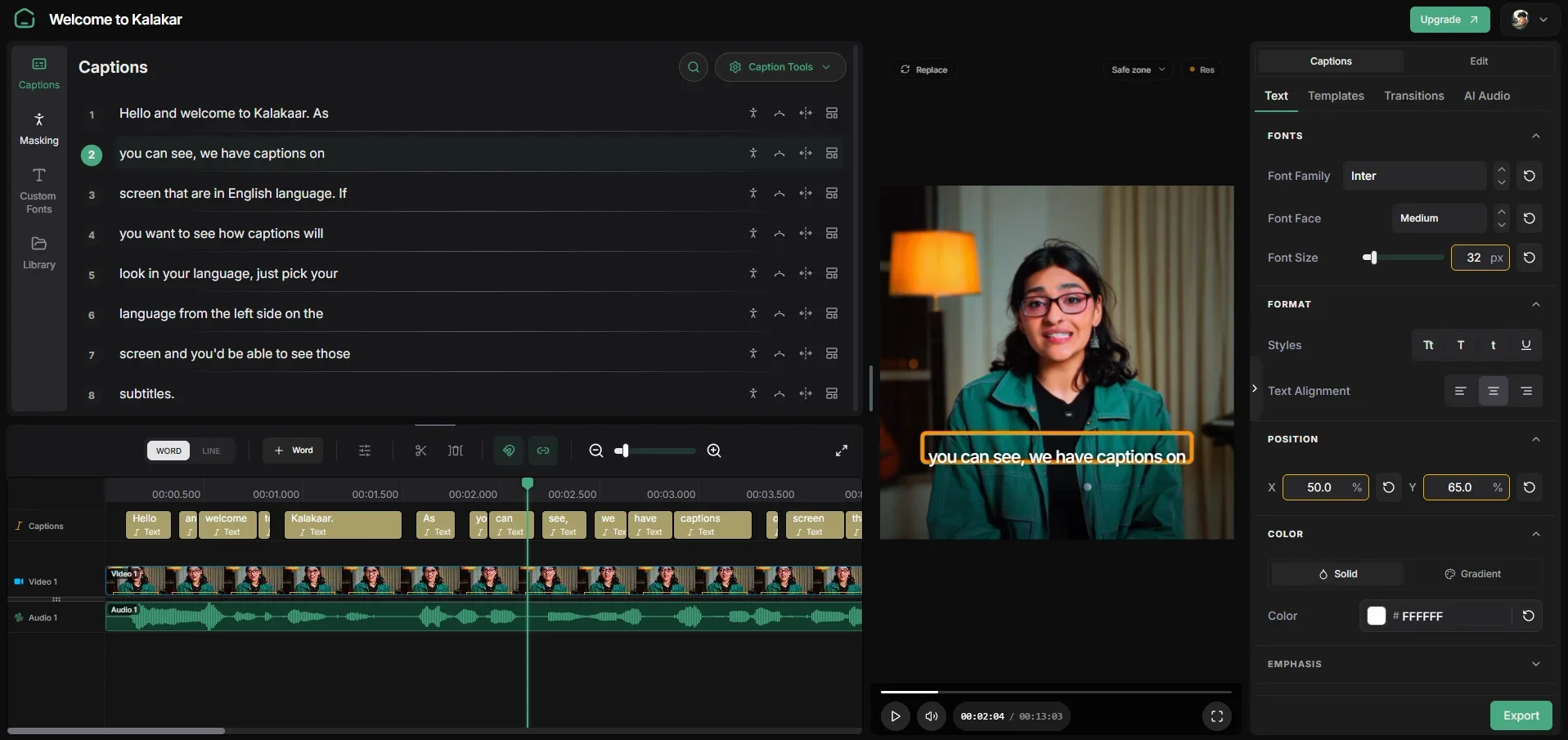
The workflow starts in Kalakar's browser-based project editor. You upload a clip, choose the spoken language and generate captions. From there, you can move through the video, correct the transcript, choose a template and export the result. Kalakar supports both vertical 9:16 projects for short-form videos and horizontal 16:9 projects for conventional YouTube uploads. 34
For a first test, use a short clip with reasonably clear speech. Listen while reading the generated captions, especially where a speaker changes language or mentions a name. Fixing those details before styling saves you from spotting an obvious error after rendering. Once the words are right, check that the text remains legible on a phone and does not sit under a platform's interface buttons.
Captioning workflow
- 01Upload a clip
Start a vertical or horizontal project and add your video.
- 02Choose the spoken language
Select the language; Kalakar recommends English for Hinglish speech.
- 03Generate and review captions
Let the tool transcribe the audio, then check words and timing.
- 04Edit the look
Correct text, adjust placement and choose a caption template.
- 05Export for your workflow
Render the video or use an advanced subtitle export if your plan allows it.
Editing tools and caption styles
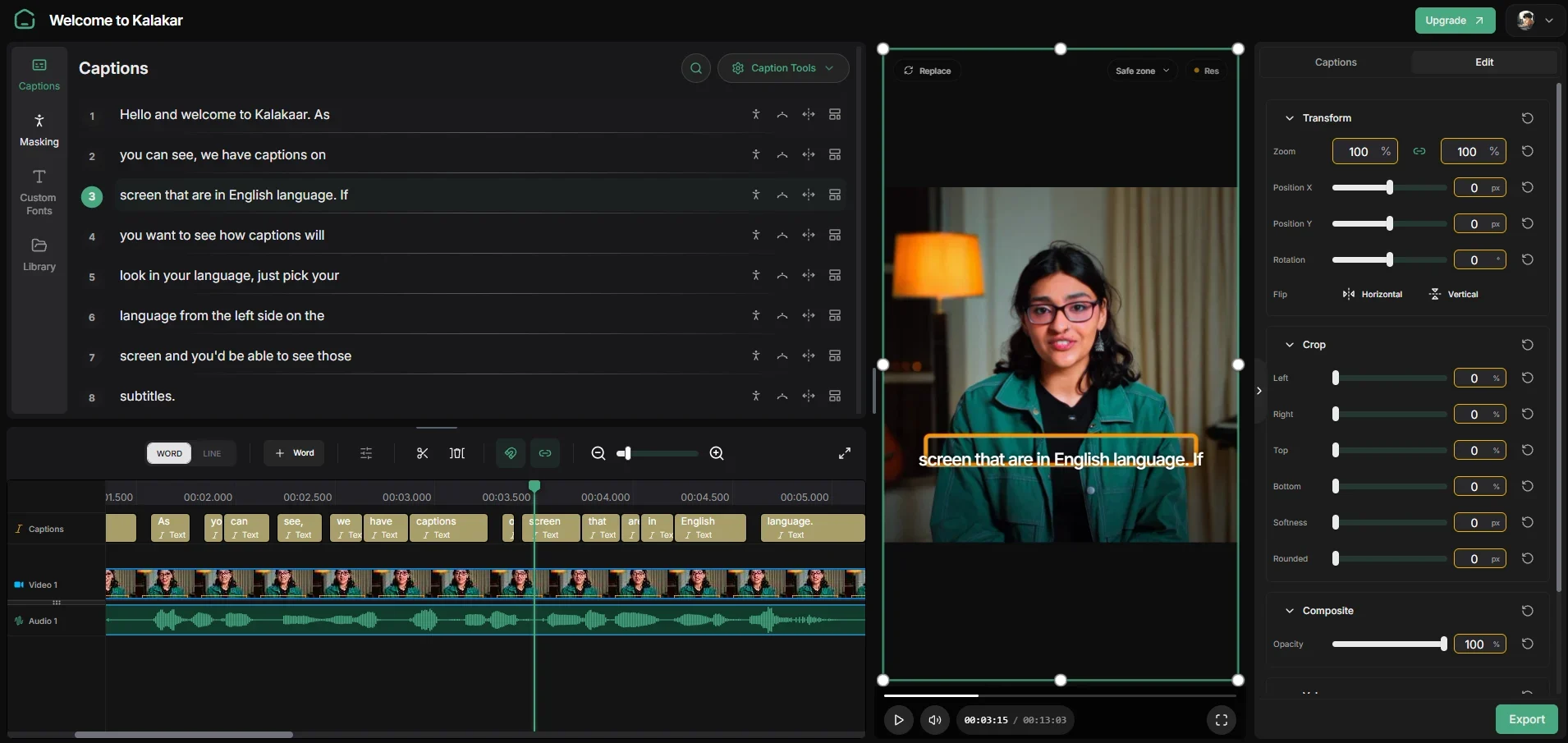
Kalakar's editor lets users rewrite or remove captions, move text on the screen, adjust timing and add new captions on the timeline. The timeline can be used to jump to specific words and inspect the video more closely, although the company's walkthrough says it is optional for basic editing. These controls matter because even an accurate transcript can look awkward if a subtitle appears too early, stays too long or covers a face. 3
The platform also offers ready-made caption styles inspired by formats associated with popular creators. You can use a template as a starting point instead of manually animating each word. Some customization options, including custom font uploads, are tied to paid plans. Kalakar also advertises AI audio enhancement for recordings affected by background noise. 12
A sensible editing pass is simple: correct the words first, then adjust the timing, then choose the visual style. Busy captions can distract from a video just as easily as missing captions can.
Kalakar.io pricing: free, Editor, Creator and Studio
Kalakar has a free tier and three paid tiers. Its India-facing payment page lists Editor at ₹670 per month, Creator at ₹950 and Studio at ₹2,400, with GST added to each paid price. The main website may show US-dollar pricing, so Indian readers should check the actual checkout currency and tax amount before subscribing. 12
The free plan includes five minutes of testing with full templates, 5 GB of storage, a maximum video length of two minutes and watermark-free rendering with basic templates. Editor increases transcription allowance to two hours and storage to 20 GB, but it keeps the two-minute per-video limit. Creator raises the limit to five minutes and adds features such as subtitle-file export and translation. Studio is designed for larger projects, with a 30-minute per-video limit and advanced export options. 2
Monthly India pricing and selected plan limits listed by Kalakar; paid amounts exclude GST. [^2]
| Plan | Price per month | Transcription allowance | Maximum video length |
|---|---|---|---|
| Free | ₹0 | 5 minutes of testing | 2 minutes |
| Editor | ₹670 + GST | 2 hours | 2 minutes |
| Creator | ₹950 + GST | 5 hours | 5 minutes |
| Studio | ₹2,400 + GST | 12 hours | 30 minutes |
Subtitle exports and professional editing workflows
Different creators need different kinds of output. Someone posting an Instagram Reel may want a finished video with captions already visible. A YouTube creator might prefer a separate subtitle file that viewers can turn on or off. An editor finishing a client project in another program may need a transparent caption layer. Kalakar advertises these workflows, but they are not available on every plan. 13
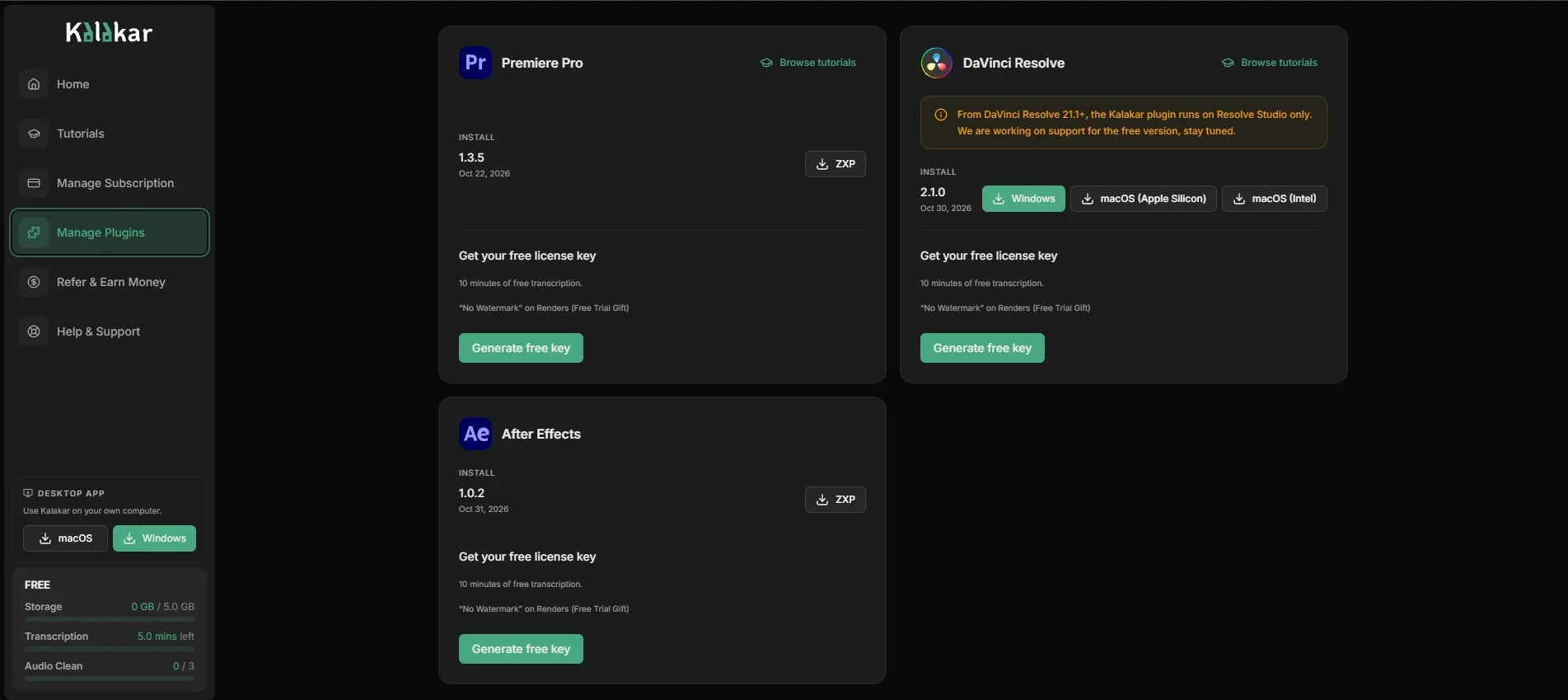
On the pricing pages, the Creator plan includes subtitle-file options such as SRT and VTT, while the Studio plan adds alpha-channel rendering. Kalakar also promotes plugins for Adobe Premiere Pro and DaVinci Resolve. Those integrations may suit editors who want to bring generated captions back into their usual editing software. 12
If SRT export is the main reason you are considering Kalakar, compare the Creator plan's total monthly cost with how many videos you actually subtitle. The cheaper Editor tier is intended for a different set of needs.
Who should use Kalakar, and what to check first
Kalakar makes the most sense for creators who regularly publish spoken videos and spend time adding subtitles by hand. It is particularly relevant to Hindi, Hinglish and regional-language workflows, where word choice and script can vary from clip to clip. Its templates may help someone producing frequent Reels or Shorts, while the higher-tier exports are more relevant to freelance editors and teams. 14
There are limits to weigh against the convenience. A free or Editor user cannot upload a single video longer than two minutes under the listed plan rules. Subtitle files and advanced renders require higher tiers. No AI transcript should go out without checking names, numbers and context, especially when subtitles carry information people rely on. 25
Privacy also deserves a moment of attention. Kalakar's policy says uploaded video, audio and generated captions are processed to provide the service, and uploads may be kept temporarily for processing and reliability. If you work with unreleased client footage or confidential material, review the policy and obtain the necessary permission before uploading. 6
These are practical checks, not results of an independent hands-on performance test. Caption quality and turnaround time should be judged using your own recording conditions.
Before you choose a plan
- Check whether your typical video fits the per-video duration limit.
- Test captions using the language and accent you actually record.
- Review spellings, names and timing before exporting.
- Confirm whether you need a rendered video, SRT/VTT or an alpha-channel file.
- Check GST, renewal terms and client-footage permissions.
Where to try Kalakar.io
You can start from Kalakar's official website and open its web app to try a short captioning project. For creators who only need subtitles on occasional short clips, the free option is a reasonable place to see how the editor feels. If you post frequently, the paid tiers add more monthly transcription time and progressively more advanced output choices. 12
The useful test is the finished video: can viewers read the captions comfortably, are the words correct, and does the export suit the platform where you publish? Run that check on one of your own videos before committing to a subscription. Kalakar reduces the manual starting work, but the final editorial decision still belongs to the creator.
Official Kalakar websites
Frequently asked questions
Is Kalakar.io free?
Yes. The listed free plan includes five minutes of template testing and a two-minute maximum video length, with watermark-free rendering on basic templates. 2
Can Kalakar make Hinglish captions?
Yes. Kalakar's own Hinglish guide says to select English as the spoken language for mixed Hindi-English speech, then review and edit the transcript. 4
How much does Kalakar cost in India?
The India pricing page lists Editor at ₹670, Creator at ₹950 and Studio at ₹2,400 per month, plus GST. Confirm the final price at checkout. 2